Okay, I'm not one to jump on the bandwagon when a new gadget, software or tool is the latest thing. I still don't tweet. Even this blog was something I resisted for a long while. Finally, I decided to use it as an outlet to share one of my interests - cemeteries!
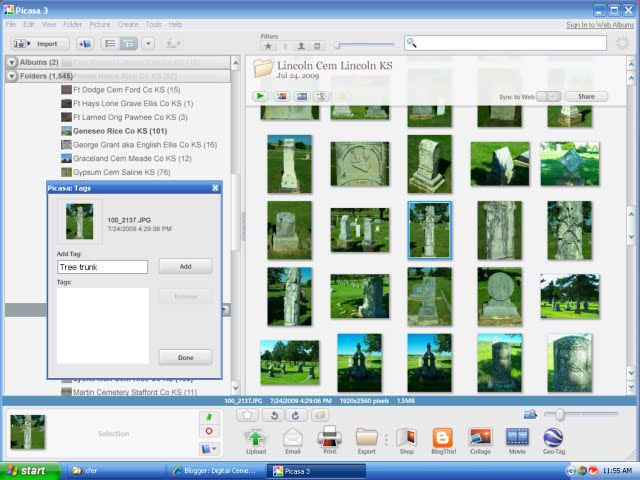
I could easily reach the 20,000 mark for cemetery photos in the year 2010. They are sorted and filed digitally in separate folders by cemetery name so that is good. What is not good is that it is impossible to remember where various types of headstones are located in those 140 plus cemetery files. I already use Picasa to manage and upload photos. Now I'm taking time to use the tagging feature. Here is what I hope to use as my standard for tagging:
- Copyright Gale Wall
- Cemetery name
- Cemetery location [county/state]
- Symbolism on headstone: lamb, urn, anchor
- Epitaph if complete and legible
- Headstone feature: Zinc, table top, footstone, cause of death
It my goal to make it easier to find the examples of a particular headstone or symbol when I want to work with it. I highlight all the pictures in a folder and apply the tag [information] for the first 3 items and then scroll through and apply tags for the last 3 items, as they apply.
Tagging is just one of the features of Picasa. I do own other software programs, like PhotoElf, that I use specifically for batch renaming & resizing, but I like to use Picasa for my cemetery photos.
If you have a similar project that you use in managing your cemetery photos I'd love to hear about it.